

AWS RDS is one of the most deceptive line items on an AWS bill. On paper, it's a managed database service where AWS handles patching, backups, and failover. In practice, RDS costs accumulate across six or more independent billing dimensions simultaneously, and each decision you make about engine selection, instance size, storage tier, or deployment configuration compounds every other one.
So teams end up in a familiar situation: RDS is clearly expensive, the billing console confirms it, but nobody can say with confidence why costs have drifted, which instance is the problem, or who should fix it.
This guide breaks down the full RDS pricing model, from free tier eligibility through Extended Support surcharges, so your team can make informed decisions before costs get ahead of you.
Key Takeaways:
- RDS pricing is multi-dimensional: instance type, engine, region, deployment mode, storage tier, and reserved vs. on-demand purchase all affect your bill independently and collectively.
- Right-sizing is the highest-leverage action available. Over-provisioned instances (especially non-production environments running Multi-AZ) are the most common and most correctable source of RDS waste.
- Reserved Instances can cut RDS instance costs by up to 53%, but committing to the wrong instance family or size basically just locks in waste at a discount. Commit only after validating usage patterns.
- Extended support fees for end-of-life engine versions now reach $0.200/vCPU-hour in year three and beyond. Upgrading to a supported major version before standard support ends is the fastest way to eliminate that charge.
- Ownership is the missing piece. RDS spend rarely belongs to one team, and without clear attribution, the right engineer never gets the right recommendation.
What Is Amazon RDS?
Amazon Relational Database Service (RDS) is AWS's fully managed relational database offering. It supports seven database engines: MySQL, PostgreSQL, MariaDB, Oracle, SQL Server, and two Aurora variants: Aurora MySQL-compatible and Aurora PostgreSQL-compatible.
"Fully managed" means AWS handles the infrastructure operations you'd otherwise own, including OS patching, minor version updates, automated backups, replication, and failover. But it doesn't mean fixed cost. RDS billing is entirely usage-based and spans multiple independent pricing dimensions, which is where cost complexity enters. The more engines, accounts, and environments you're running, the harder the total bill becomes to interpret without attribution-level monitoring.
What Factors Influence Amazon RDS Pricing?
Before unpacking each dimension, it helps to see the full list of what's on the meter when you run an RDS instance:
- Database engine selection. Open-source engines are significantly cheaper than commercial licenses.
- Instance type and size. vCPU, RAM, and network throughput determine the per-hour instance rate.
- AWS region and Availability Zone. Pricing varies by region, sometimes substantially.
- Deployment type. Single-AZ vs. Multi-AZ. Multi-AZ approximately doubles instance-hour costs.
- Purchase option. On-Demand vs. Reserved Instances. RIs offer up to 53% savings with multi-year commitments.
- Storage type and provisioned IOPS. gp3, io1/io2, and legacy magnetic each bill differently. Note that Amazon Aurora instances bill based on actual storage consumed rather than provisioned limits.
- Backup and snapshot retention. Free up to your provisioned DB size, billed beyond that threshold.
- Data transfer. Outbound to the internet and cross-AZ transfer both add to your bill.
- Extended support fees. Per-vCPU-hour surcharges for running engine versions past community end-of-life.
- RDS Proxy configuration. Often overlooked and billed per vCPU-hour on the host instance.
Each of these variables compounds the others. A db.m5.xlarge running Oracle with Multi-AZ enabled in eu-west-1, on io2 storage with Extended Support active, will cost multiples of what a comparably sized MySQL instance in us-east-1 costs. That's what makes RDS one of the harder AWS services to estimate accurately without instance-level monitoring.
How Does Amazon RDS Pricing Work?

1. Amazon RDS Free Tier
For legacy AWS accounts (created prior to July 2025), the RDS free tier covers 750 hours per month of a db.t2.micro, db.t3.micro, or db.t4g.micro running MySQL, PostgreSQL, or MariaDB in Single-AZ, plus 20 GB of General Purpose SSD storage and 20 GB of automated backup storage at no charge for the first 12 months. For newer accounts, AWS utilizes a credit-based system providing up to $200 in foundational credits to test database workloads across a broader selection of engines, including Amazon Aurora.
Usage aggregates across instance classes: run two micro instances simultaneously, and you exhaust a 750-hour allocation in half the time. The free tier works for evaluation, not production. Teams that leave free-tier instances running at scale will find charges appear without warning once the monthly allotment or credit threshold is exceeded.
2. RDS Pricing by Database Engine
Engine selection is the first and most consequential cost decision you make. The seven supported engines fall into clear pricing tiers:
- MySQL and MariaDB offer the lowest per-instance-hour rates, so they are often the default choice for teams without licensing constraints or specific workload requirements.
- PostgreSQL carries a modest premium of approximately 10% over MySQL equivalents. For most engineering teams, the RDS cost delta is marginal compared to instance sizing decisions.
- Oracle and SQL Server (License Included) can approach double the per-hour rate of open-source equivalents. Oracle also supports Bring Your Own License (BYOL), reducing the hourly cost to near open-source levels. Teams running Oracle for legacy compatibility reasons should evaluate BYOL eligibility before defaulting to License Included.
- Amazon Aurora (MySQL-compatible and PostgreSQL-compatible) runs approximately 20% higher per instance-hour than standard RDS. In exchange, you get automatic storage scaling, up to 15 read replicas, and built-in replication across three Availability Zones. For demanding production workloads, Aurora's total cost of ownership often competes favorably once operational overhead is factored in.
- Aurora Serverless v2 bills per Aurora Capacity Unit (ACU) per second rather than a fixed instance tier, so it’s better suited to variable or unpredictable workloads like development environments or APIs with inconsistent load.
Storage, provisioned IOPS, and data transfer pricing are consistent across MySQL, MariaDB, and PostgreSQL at the standard RDS tier.
3. RDS Pricing by Instance Type and Size
RDS instance types define the compute resources your database runs on, covering vCPU count, memory, and network bandwidth. The range runs from burstable db.t3 instances up to large memory-optimized configurations, and your choice here drives the largest single component of your monthly bill.
Right-sizing is the single most effective lever for controlling RDS instance costs. Over-provisioned instances, particularly in non-production environments that were sized at launch and never revisited, are the most common and most addressable source of RDS waste. The challenge is that right-sizing requires real workload data. Memory utilization, CPU consumption, and query I/O patterns over time, not just peak metrics, are all necessary inputs. And that visibility needs to be attributed to the team responsible for each instance before any action can be routed.
Instance Pricing Summary
|
Instance Type |
vCPUs |
RAM (GiB) |
Approx. On-Demand Rate (MySQL, us-east-1) |
|
db.t3.micro |
2 |
1 |
~$0.017/hr |
|
db.t3.small |
2 |
2 |
~$0.034/hr |
|
db.t3.medium |
2 |
4 |
~$0.068/hr |
|
db.m5.large |
2 |
8 |
~$0.171/hr |
|
db.m5.xlarge |
4 |
16 |
~$0.342/hr |
|
db.m5.2xlarge |
8 |
32 |
~$0.684/hr |
|
db.m5.4xlarge |
16 |
64 |
~$1.368/hr |
|
db.r5.xlarge |
4 |
32 |
~$0.480/hr |
Note: Approximate rates reflect Single-AZ MySQL deployments in us-east-1. Verify current real-time pricing directly via the AWS Pricing Calculator.
4. RDS Pricing by Region and Availability Zone
AWS pricing varies significantly by region. Instances in US regions like us-east-1 (N. Virginia) are typically the lowest-cost options. Regions such as eu-west-1 (Ireland) and ap-southeast-1 (Singapore) often run 10–30% higher for equivalent configurations, while highly isolated regions like sa-east-1 (São Paulo) can see premiums even higher.
Deployment type adds another significant multiplier. Single-AZ runs one database instance in one Availability Zone. Multi-AZ provisions and maintains a synchronous standby replica in a separate AZ for automatic failover, which approximately doubles your compute instance, storage, and provisioned IOPS costs.
While Multi-AZ is the gold standard for production environments, it is a consistent source of waste in staging, development, and testing environments. This usually happens when teams deploy Multi-AZ out of habit or directly clone a production Infrastructure-as-Code (IaC) configuration. Because brief downtime during a rare AZ outage is acceptable in non-production environments, identifying non-production instances with Multi-AZ enabled is a highly reliable, 50% cost-reduction win early in any RDS optimization effort.
5. On-Demand vs. Reserved Instance Pricing
On-demand pricing charges in one-second increments and requires no upfront commitment. However, a 10-minute minimum charge applies immediately following any billable status change (such as creating, starting, or modifying the DB instance class). This is the default billing mode and is appropriate for workloads that are genuinely irregular, short-lived, or still being characterized. You pay full price, but you retain total flexibility.
RDS Reserved Instances (RIs) and their flexible counterpart, Database Savings Plans, let you commit to a one- or three-year term on specific instance parameters in exchange for significant discounts off On-Demand rates.
Three payment structures are available:
- No Upfront: $0 upfront, pay a reduced hourly rate for the commitment term. Savings of approximately 29% over On-Demand at one year.
- Partial Upfront: Pay a portion upfront; lower effective hourly rate for the remainder. Savings of approximately 33% at one year and 52% at three years.
- All Upfront: Full prepayment for the term. Savings of approximately 34% at one year and 53% at three years.
Reserved instances apply at the billing level, not the individual instance level. They float dynamically and match automatically to on-demand instances that meet the commitment's parameters (engine, instance family, size, region) and can be seamlessly shared across accounts within an AWS organization.
|
Purchase Option |
Term |
Approx. Savings vs. On-Demand |
|
No Upfront |
1 year |
~29% |
|
Partial Upfront |
1 year |
~33% |
|
All Upfront |
1 year |
~34% |
|
No Upfront |
3 years |
~48% |
|
Partial Upfront |
3 years |
~52% |
|
All Upfront |
3 years |
~53% |
Note: Estimates based on a db.m5.xlarge MySQL instance in us-east-1. Verify current live figures at aws.amazon.com/rds/pricing.
The challenge isn't whether to use commitment-based discounts, because the economics are undeniable for stable workloads. The challenge is whether you have the proper usage visibility to commit confidently. Over-committing to the wrong instance family, or reserving capacity for instances that should first be downsized, accidentally locks in an unoptimized configuration at a discount. Characterize your workloads first, right-size where possible, and only then lock in your commitment.
6. RDS Extended Support Pricing
Extended support charges apply automatically when you run an engine version past AWS's standard support window. As of 2026:
- Years 1–2: $0.100/vCPU-hour
- Year 3 and beyond: $0.200/vCPU-hour (doubled March 1, 2026)
These fees scale with your core count and deployment type. A Single-AZ db.m5.xlarge (4 vCPUs) running MySQL 5.7 adds $0.80/hr in Year 3, roughly $584/month in surcharges. Multi-AZ doubles that penalty to maintain the standby replica, pushing the same instance to $1.60/hr or approximately $1,168/month per cluster.
Upgrading to a supported major version before standard support expires is the fastest way to eliminate this charge entirely. Treat engine version lifecycle as a core operational metric so your team can plan upgrades before surcharges activate.
7. RDS Storage Pricing
Storage is billed completely independently of instance hours and remains a highly common source of unexpected RDS costs.
- General Purpose SSD (gp3) is the modern default for new RDS instances, priced at $0.115/GB-month (in us-east-1). For database volumes under 400 GiB, gp3 delivers a free baseline performance of 3,000 IOPS and 125 MiB/s throughput. Crucially, when an RDS volume scales to 400 GiB or larger, AWS automatically steps up the included baseline to 12,000 IOPS and 500 MiB/s at no additional charge. Teams still running legacy gp2 volumes should migrate to gp3 immediately; it typically yields immediate savings while decoupling performance provisioning from raw storage size.
- Provisioned IOPS SSD (io1) costs $0.125/GB-month for storage plus $0.10/IOPS-month for the provisioned performance tier. It is designed for latency-sensitive production workloads requiring sustained performance beyond gp3's ceilings. However, it can scale costs drastically. For example, a volume provisioned with 10,000 IOPS adds $1,000/month in IOPS surcharges alone, regardless of whether the database actually uses those cycles. Teams must routinely audit these volumes to ensure performance allocations reflect actual workload metrics rather than over-engineered deployment estimates.
- Magnetic storage is priced at $0.10/GB-month plus $0.10 per million I/O requests. AWS deprecates magnetic storage for new RDS configurations across almost all modern regions. If magnetic charges appear on an active bill, they are almost certainly tied to orphaned legacy resources or ancient snapshots that should be immediately archived, migrated, or decommissioned.
Finally, while Amazon Aurora storage dynamically expands and contracts natively, standard Amazon RDS utilizes an RDS Storage Autoscaling feature. When enabled, standard RDS volumes will automatically expand to prevent downtime when space runs low, but they never automatically scale back down. Because storage costs can climb silently without manual intervention, monitoring historical storage utilization trends is vital for accurate cloud cost forecasting.
8. Additional RDS Pricing Factors
Several auxiliary cost dimensions round out the full RDS billing footprint:
- Automated Backups: Backups are free up to 100% of your total provisioned database storage size within a specific region. The $0.095/GB-month backup storage rate applies only to the historical footprint that exceeds this allocation. Long retention windows paired with high-churn, large databases can quickly push backup storage liabilities well past the free baseline.
- Manual Snapshots: Unlike automated backups, manual snapshots do not qualify for the free tier allocation and are billed at standard Amazon S3 rates ($0.023/GB-month for the first 50 TB). Because manual snapshots persist indefinitely until explicitly deleted, teams that capture "pre-change" snapshots during deployment and forget to prune them accumulate compounding long-term costs.
- Snapshot Exports: Exporting RDS snapshots to Amazon S3 in Parquet format costs $0.010 per GB of snapshot size. This is an essential line item to track for teams leveraging production database snapshots as an analytical data pipeline mechanism into data lakes.
- Data Transfer: Inbound data transfer from the internet is entirely free. Outbound internet transfer features a permanent 100 GB/month free tier across all services, after which tiered pricing begins at $0.09/GB. For internal traffic traversing Availability Zones (e.g., an application server in us-east-1a reading from a database in us-east-1b), the outbound data transfer from RDS to EC2 is free, but the EC2 instance is billed $0.01/GB for data coming in. Note that synchronous replication traffic between an RDS Multi-AZ primary and standby is always free.
- RDS Proxy: This service is billed at $0.015/vCPU-hour based on the size of the underlying database instance, enforcing a strict minimum of 2 vCPUs per proxy endpoint. RDS Proxy is highly effective for managing connection spikes, particularly in serverless Lambda architectures, but is easily overlooked in financial projections because it is often enabled to address a performance bottleneck and left running indefinitely.
How to Understand and Control RDS Costs

RDS always appears prominently in monthly cost reports. Engineering leaders acknowledge the spend, and yet the conversation usually ends there. There is no shortage of visibility, but there is a shortage of internal ownership. Because specific database instances frequently cannot be attributed directly to the product teams that spun them up, nobody receives targeted optimization recommendations, and costs silently drift.
This is the visibility-to-action gap. Here is how to close it.
1. Right-Size Before You Commit
The most common RDS cost problem is over-provisioned infrastructure, particularly non-production environments running Multi-AZ at launch sizes that were never revisited.
Before committing to a multi-year reservation, track working dataset and query I/O patterns over at least 30 days, ideally 90 to capture end-of-month processing spikes. Evaluate average CPU utilization, peak IOPS relative to provisioned storage, and Freeable Memory. Unlike compute-heavy workloads, databases need RAM to maintain cache and buffer pools, so CPU alone isn't a reliable downsizing signal. Instances running consistently below 20–30% CPU with significant excess Freeable Memory are your lowest-risk candidates.
Right-sizing before reserving avoids the worst outcome in cloud procurement. A 53% discount on an oversized instance is still waste, just cheaper.
2. Align Reserved Instance Commitments to Actual Usage Patterns
RI savings on rds instance pricing are substantial and well-documented. But they require accurate usage visibility at a level most teams don't have natively.
Teams managing RDS across multiple AWS accounts often can't answer basic questions with confidence:
- Which instances have been running stably for 12 months?
- Which ones are growing?
- Which are candidates for decommission before any commitment is made?
Without cross-account visibility in one place, RI planning defaults to conservative estimates that leave meaningful savings on the table.
Solve the visibility problem first. Map your stable baseline usage across accounts, confirm right-sizing decisions, and then commit RIs against a characterized fleet.
3. Attribute RDS Costs to the Teams and Services Generating Them
RDS spend is rarely one team's problem. Shared database infrastructure, cross-environment instances, and resources deployed by engineers who have since moved to other projects make attribution genuinely difficult. And without ownership, there's no accountability, no path from a cost insight to an engineer with context and capacity to act.
Manual tagging is the industry standard answer to this problem. And it's the one that consistently breaks at enterprise scale. Tags go missing on new resources, naming conventions drift, and the maintenance burden of keeping tags current competes with delivery work.
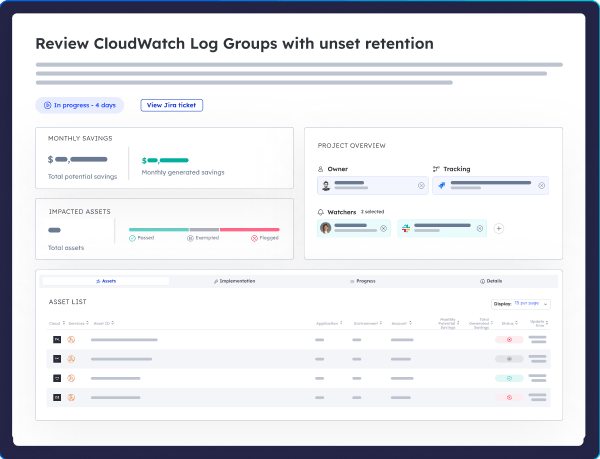
Cloud ex Machina (CxM) takes a different approach. It automatically infers resource ownership from deployment patterns, code repository history, permission records, and collaboration signals, without requiring a manual tagging project. Once ownership is mapped, teams receive targeted recommendations in Slack, Jira, or GitHub, with context about what the RDS instance cost issue is and what change is needed. Engineers don't have to go looking for it; instead, the action comes to them. That's the difference between cost visibility and cost ownership.

Amazon RDS Pricing FAQs
What's the difference between RDS and Aurora pricing?
On a pure compute tier comparison, provisioned Amazon Aurora instances run approximately 20% higher per hour than identical standard RDS shapes. However, Aurora justifies this premium for intensive production workloads by providing decoupled storage that scales up to 128 TiB natively, alongside 6-way storage replication across three Availability Zones. Additionally, for highly volatile workloads, Aurora Serverless v2 scales compute capacity seamlessly based on real-time traffic and bills by the second via an ACU-hour metric, effectively eliminating expensive idle capacity.
What is the cheapest RDS configuration?
The lowest-cost configuration on AWS is a Single-AZ db.t4g.micro instance running an open-source database engine like MySQL or MariaDB on gp3 storage. Powered by AWS Graviton processors, this setup costs approximately $0.016 per hour in us-east-1, which translates to roughly $11.50 per month for continuous 24/7 operation. To maintain this rock-bottom baseline, you can leverage standard AWS sign-up credits while ensuring that Multi-AZ deployment, storage autoscaling, and provisioned IOPS are completely disabled.
How do RDS Reserved Instances work?
Reserved Instances function as a flexible billing discount rather than a physical capacity reservation, meaning AWS automatically applies a reduced hourly rate to any matching active database workloads running across your AWS Organization. By committing to a one- or three-year term for a specific engine, region, and instance family, you can secure discounts ranging from 29% for a one-year contract with no upfront payment up to 53% for a three-year contract paid entirely upfront. If your infrastructure changes frequently, you can instead opt for an AWS Database Savings Plan, which offers a flexible hourly spend commitment that automatically adjusts to shifting instance families and database engines.
What is RDS Extended Support and when does it apply?
Amazon RDS Extended Support is an automatic, premium surcharge that applies immediately when you continue running a major database engine version after its official AWS standard support window closes. This penalty is calculated directly against your active core footprint, charging $0.100 per vCPU-hour during years one and two before escalating to $0.200 per vCPU-hour from year three onward. Because this surcharge tracks every active core, Multi-AZ production environments will automatically double this penalty to cover the standby replica. The only way to entirely eliminate this overhead is to track engine lifecycles proactively and execute major version upgrades before standard support expires.
From RDS Visibility to RDS Control
RDS pricing is complex because six or more billing variables operate simultaneously and compound each other. Teams that understand the full model make better decisions at every stage, from engine selection through commitment timing.
But understanding RDS costs isn't the same as controlling them. Control requires knowing which instances are over-provisioned, which teams own them, and what action each team should take, delivered in the tools where engineers already work.
That's the gap CxM closes. If RDS is a growing line item and you're not sure who owns the problem, book a demo to see how automatic attribution turns cost visibility into cost ownership.