
As applications evolve and user demand grows, scaling becomes a pivotal concern, not just for infrastructure teams but for developers, product owners, and finance leaders alike. The way you scale directly impacts your system’s reliability, performance, and cloud spend.
In this guide, we’ll break down the key differences between horizontal and vertical scaling, explore how each fits into modern cloud-native architectures, and provide a practical, developer-first framework for making smart, cost-efficient scaling decisions.
Whether you’re deploying Kubernetes clusters, scaling out microservices, or fine-tuning EC2 instance types, this article will help you approach scalability not as a one-time fix, but as a continuous habit embedded in your workflow, not tacked onto it.
Horizontal vs Vertical Scaling: Key Differences
Scalability in cloud-native environments gives you performance gains, but it’s also about how you architect for growth, resilience, and cost-efficiency. Whether you’re running on AWS, Azure, or GCP, your scaling strategy impacts everything from user experience to your monthly cloud bill.
At the heart of that strategy lies a fundamental choice between horizontal vs vertical scaling.
Quick Comparison: Horizontal vs Vertical Scaling
|
Feature/Aspect |
Horizontal Scaling |
Vertical Scaling |
|
Definition |
Add more machines or instances to distribute the load |
Increase the capacity (CPU, RAM) of a single instance |
|
Performance Benefit |
Improves concurrency and redundancy |
Improves per-request speed |
|
Failure Tolerance |
High—multiple nodes means no single point of failure |
Low for standalone instances—one machine fails, service can go down |
|
Elasticity |
Highly elastic with automation support |
Limited—bound by hardware ceilings |
|
Cost Efficiency |
Economical at scale with right-sized instances |
More expensive per vCPU/GB as the instance size increases |
|
Cloud-Native Fit |
Aligns with microservices, Kubernetes, and serverless |
Best for legacy workloads or monolithic apps |
|
Complexity |
Requires orchestration and load balancing |
Easier to implement short-term |
How Major Clouds Enable Scaling
All major public clouds support both vertical and horizontal scaling, but they typically promote horizontal scaling as the default for cloud-native systems. Here’s how they work:
Horizontal Scaling in the Cloud
|
Provider |
Services Supporting Scale-Out |
|
AWS |
Auto Scaling Groups, EKS, Lambda |
|
Azure |
Virtual Machine Scale Sets (VMSS), AKS, Azure Functions |
|
GCP |
Managed Instance Groups, GKE, Cloud Functions |
Key benefits:
- Dynamically adjust to demand
- Ideal for distributed, stateless applications
- Supports high availability and fault tolerance
Vertical Scaling in the Cloud
|
Provider |
Services Supporting Scale-Up |
|
AWS |
EC2 instance resizing, RDS storage upgrades |
|
Azure |
VM size changes, SQL tier scaling |
|
GCP |
VM machine type changes, Cloud SQL upgrades |
Use cases:
- Memory/CPU-constrained workloads
- Short-term performance boosts
- Legacy apps that can't be distributed
Real-World Scenario: AWS EC2 Resizing vs Auto Scaling
Let’s compare two approaches to increasing compute capacity in AWS: resizing an instance vertically vs scaling out horizontally with load balancing.
Scenario: Application Needs 8x More Compute Capacity
|
Scaling Type |
Action |
Cost/Hour |
Throughput Gains |
Failure Tolerance |
Notes |
|
Vertical Scaling |
Resize m8g.large → m8g.4xlarge |
$0.090/hr → $0.718/hr (us-east-1, updated as of Feb 2026) |
~8x per-node speed |
Low—single point of failure |
Requires instance stop; m8g is Graviton4, roughly 15% cheaper on-demand than the equivalent m8i (x86), with even stronger price-performance. |
|
Horizontal Scaling |
Run 8 × m8g.large + Load Balancer |
$0.718/hr + $0.0225/hr base (ALB) + variable LCU charges |
~8x aggregate concurrency |
High—traffic reroutes on failure |
Requires load balancing and a stateless design |
Note: ALB pricing combines a fixed hourly rate (~$0.0225/hr in us-east-1) with usage-based LCU charges ($0.008/LCU-hr). At scale, LCU charges typically dominate.
Horizontal scaling spreads traffic across multiple smaller nodes. It’s better for availability, elasticity, and long-term cost control. On the other hand, vertical scaling is more straightforward to implement but riskier, especially at scale.
Why Vertical Scaling Is a Last Resort (But Still Useful)
While vertical scaling can deliver fast performance improvements, it’s not a sustainable strategy for most cloud-native systems. Here's why:
- Hardware Ceilings: Every cloud provider eventually caps the size of its instances. Once you hit those limits, your only option is to re-architect horizontally.
- Downtime Risks: Resizing often requires stopping the instance, which can result in downtime. Even with elastic block storage or managed databases, you risk service interruptions.
- Limited Elasticity: Vertical scaling doesn’t adapt automatically to traffic spikes; it's manual, slow, and reactive.
- Best Used for Niche Scenarios:
- Temporary fixes for memory-bound workloads
- Performance tuning during R&D
- Databases that are not easily horizontally scalable (e.g., OLTP systems)
The key takeaway here is that you should use vertical scaling to buy time, not build a strategy. For long-term growth, distributed architecture and scale-out design are non-negotiable.
Vertical Scalability vs Horizontal Scalability in Modern Architectures

Microservices and container orchestration now define how modern cloud systems are built. Scaling isn’t simply about adding more CPUs or servers—it’s about choosing the right scaling strategy for each workload. Knowing when to scale vertically, horizontally, or combine both approaches is key to achieving optimal performance, resilience, and cost efficiency in today’s cloud architectures.
In Microservices and Container Ecosystems
In containerized systems, Kubernetes has become the de facto standard for workload orchestration. It offers built-in mechanisms for pod-level scaling through two key controllers, and node-level scaling through Karpenter:
- HPA (Horizontal Pod Autoscaler): Adjusts the number of pod replicas based on CPU/memory usage or custom metrics. (Pods are the smallest deployable units in Kubernetes, typically wrapping one or more containers).
- VPA (Vertical Pod Autoscaler): Adjusts CPU and memory requests based on observed usage. In its default Auto mode, changes are applied by evicting and restarting pods, not in-place. Configure PodDisruptionBudgets accordingly. VPA must be deployed separately; it is not included in Kubernetes by default.
- Node-Level Horizontal Scaling (Karpenter): HPA and VPA manage pods; Karpenter (v1.x stable, CNCF-incubating) manages nodes. On EKS, Karpenter is the recommended default autoscaler, provisioning the optimal EC2 instance type in seconds rather than waiting on ASG-managed Cluster Autoscaler cycles. AWS EKS Auto Mode (GA Nov 2024) packages this as a fully managed control plane capability, reporting ~80% less management overhead and 60–70% infrastructure cost savings in early deployments.
When to Use Each
- Horizontal Scaling (HPA): Ideal for stateless microservices, APIs, and batch jobs. Replicas can be distributed across nodes to handle increased load without service interruption.
- Vertical Scaling (VPA): Best for stateful services or apps that can't easily be parallelized (e.g., single-threaded workloads, legacy backends).
In Database and Storage Systems
Scaling storage and databases introduces distinct challenges, particularly in terms of consistency, replication, and performance tuning.
Vertical Scaling (Scale-Up)
Vertical scaling adds more compute, memory, or storage to a single database instance. It’s a simpler and more traditional scaling strategy, often used for transactional (OLTP) systems that rely on ACID guarantees and strong consistency.
Examples:
- Amazon RDS with storage autoscaling: RDS can automatically increase the EBS volume size as data grows, reducing storage-related outages and the need for manual intervention.
- Aurora Serverless v2: Scales between 0 and 256 Aurora Capacity Units (ACUs), each ACU represents approximately 2 GiB of memory plus corresponding CPU and networking. Since November 2024, supported engine versions can auto-pause at 0 ACUs, eliminating compute charges during inactivity. Resume takes ~15 seconds — suitable for dev/test and variable-traffic workloads tolerant of brief cold starts.
Benefits:
- Easier to manage: No need to re-architect the database. Simple instance size changes can often solve performance issues in the short term.
- Strong consistency: Vertical scaling preserves single-node consistency, avoiding the complexities of distributed consensus protocols.
- Minimal refactoring: Ideal for legacy applications or third-party tools that assume a single database endpoint.
Limitations:
- Performance ceilings: Even the largest EC2 or Aurora instance types have hardware limits, especially for write-intensive or memory-intensive workloads.
- Downtime risk: Resizing typically requires stopping the instance (unless using Aurora Serverless or Multi-AZ failover strategies).
- Cost inefficiency: Larger instances come at premium prices, and underutilization wastes budget.
Horizontal Scaling (Scale-Out)
Horizontal scaling distributes a database or storage workload across multiple machines, enabling parallel processing and increased overall throughput. This approach is particularly practical for read-intensive or analytical workloads.
Examples:
- Sharded databases
- MongoDB with auto-sharding for large document sets
- MySQL + Vitess for distributed SQL workloads (used by YouTube, Slack, etc.)
- Distributed caches
- Redis Cluster, which shards data across multiple nodes with automatic failover. In self-managed Redis Cluster, slot rebalancing when adding or removing nodes requires a manual redis-cli --cluster rebalance operation. In Amazon ElastiCache, rebalancing can be triggered automatically via Application Auto Scaling policies based on CPU or memory thresholds — no manual intervention required once the policy is configured.
- Read replicas
- Aurora MySQL/PostgreSQL allows up to 15 low-lag replicas
- RDS replicas can offload read traffic, improve scaling under heavy analytical workloads
Benefits:
- Massive throughput: Read and write traffic can be distributed across nodes, improving performance under high load.
- High availability: Replication and failover strategies increase fault tolerance and disaster recovery resilience.
- Elastic scalability: Add or remove replicas, shards, or cache nodes based on demand.
Trade-offs:
- Increased complexity: Requires managing data partitioning, replication lag, and schema synchronization.
- Eventual consistency: Writes to distributed systems can experience latency or inconsistency during replication.
- Operational overhead: Requires coordination between services, load balancers, DNS, and monitoring systems.
Hybrid Scaling: Best of Both Worlds
For many systems, the smartest option is not to choose one or the other, but to combine both. Hybrid scaling strategies allow you to optimize for cost, availability, and performance simultaneously.
Common Hybrid Scaling Patterns
- Vertically scale master/write node, while horizontally scaling read replicas.
- Example: Aurora with an r8g.xlarge writer and multiple r8g.large read replicas (us-east-1, as of Feb 2026)
- Stateful microservices: right-size per-pod requests with VPA, or add replicas with HPA, but don’t have both act on CPU/memory for the same deployment, since they conflict. To use both, run VPA in recommendation-only mode alongside HPA scaling on custom or external metrics.
- Distributed cache layers with horizontally scaled frontends and vertically optimized backends
Why It Works
- Cost Efficiency: Keeps high-performance nodes reserved for critical paths, offloading bulk traffic to cheaper instances.
- Resilience: Horizontal components allow redundancy; vertical components provide raw performance.
- Scalability: Can incrementally scale different parts of the architecture without redesigning the whole system.
Key Takeaway
Modern architectures thrive on flexibility. Stateless workloads benefit from horizontal scaling via Kubernetes autoscaling, while databases and storage systems may require vertical or hybrid approaches. The best teams use both, guided by data and delivered via automated pipelines.
Developer Perspective: Automating Scalability in Workflows
Scalability is a developer responsibility as much as it’s an infrastructure concern. As systems become increasingly dynamic and complex, teams must embed elasticity into the development workflow itself, rather than treating it as an afterthought. From Infrastructure-as-Code to machine learning–driven autoscaling, modern DevOps teams are rethinking how scaling happens: programmatically, predictively, and with minimal manual effort.
Scaling as Code: Elastic Infrastructure by Default
Manual scaling decisions don’t scale. Today’s cloud-native teams define infrastructure the same way they define software: as versioned, repeatable code.
Popular Tools:
- Terraform: Declare and manage auto-scaling groups, load balancers, and instance sizes with reusable modules.
- Pulumi: Use familiar languages like TypeScript or Python to define elastic infrastructure alongside application logic.
- Helm/Kustomize: For Kubernetes, package HPA/VPA policies directly into your deployment manifests.
What it Enables:
- Declarative autoscaling rules tied to specific workloads
- CI/CD-based infrastructure updates with linting, tests, and version control
- Parameterization of scale policies, so teams can tune elasticity per environment (e.g., dev vs prod)
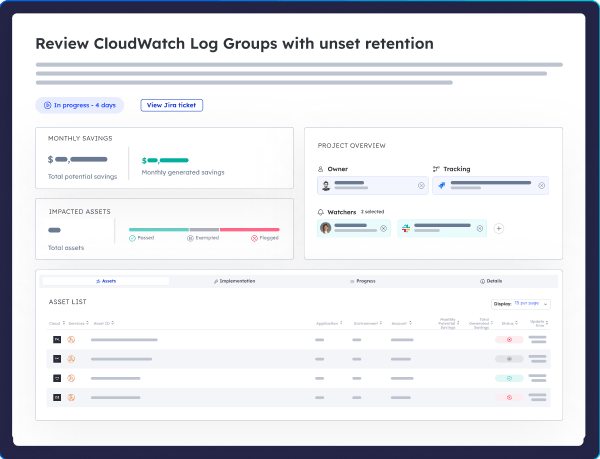
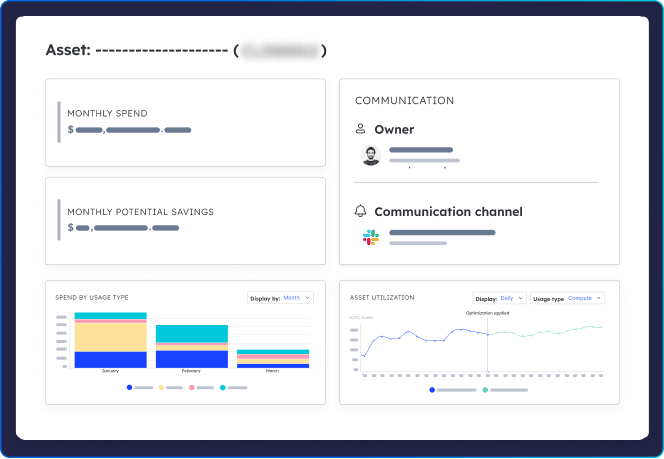
Cloud ex Machina extends this approach with policy-driven optimization directly within CI/CD workflows. When a service exceeds cost or performance thresholds, CxM can generate pull requests that adjust infrastructure definitions, ensuring changes are reviewed, tested, and deployed in the same manner as code.

Observability and Feedback Loops
Elastic scaling is only as smart as the data feeding it. That’s why observability is foundational to autoscaling—especially when decisions affect cost and performance.
Tools to Know:
- Prometheus + Grafana: Widely used in Kubernetes to track CPU, memory, request latency, and custom metrics.
- Datadog: Combines infrastructure monitoring with application performance and anomaly detection.
- AWS CloudWatch: Provides granular metrics for EC2, Lambda, DynamoDB, RDS, and more.
Developer-Focused Metrics:
- Cost per request or per endpoint
- Latency per service under load
- Utilization per replica or container
- Anomaly detection tied to cost anomalies or infrastructure drift
These metrics drive feedback loops that enable systems to scale proactively rather than reactively. Thresholds trigger autoscaler policies, and tools like CxM surface cost-impactful trends before they spiral. The platform converts metric anomalies (e.g., “CPU > 80% for 15 minutes” or “cost per 1k requests up 42%”) into structured Jira tickets or PRs with context, ownership, and remediation suggestions automatically routed to the right team.
Automation and AI-Driven Scaling
Static thresholds are no match for dynamic cloud workloads. That’s why leading teams are shifting toward predictive and AI-driven autoscaling, which learns from historical usage and adapts in real time.
Cloud-Native Examples:
- AWS Predictive Scaling: Uses historical utilization to forecast demand and pre-scale EC2 instances.
- GCP Recommender API: Suggests right-sizing, autoscaling, and machine type changes based on usage patterns.
- Kubernetes Metrics Server + KEDA (Kubernetes Event-Driven Autoscaling): Enables event-driven scaling based on queue depth, API calls, or custom signals.
Developer Benefits:
- No need to babysit autoscaler configs
- Proactive rather than reactive scaling
- Tighter control over spend per workload
Key Takeaway
Developers shouldn’t have to choose between agility and efficiency. By treating scalability as code, embedding observability into workflows, and embracing AI-powered scaling recommendations, teams can build systems that scale themselves—intelligently, predictively, and cost-consciously.
Cost Implications: Scaling Efficiently

Choosing how to scale is just as much a cost control strategy as it is an architectural decision. The economics of horizontal and vertical scaling diverge significantly, especially when operating at cloud scale. Understanding how each model behaves under different pricing structures—on-demand, Reserved Instances (RIs), and Savings Plans—helps teams avoid surprises and make cost-conscious decisions from day one.
Vertical Scaling and Cost Patterns
While scaling up a single instance is operationally simple, it becomes exponentially more expensive as you move up to instance families.
Rising cost per unit of performance
Example:
- m8i.large: 2 vCPU, 8 GiB RAM — $0.106/hr (us-east-1, as of Feb 2026)
- m8i.32xlarge: 128 vCPU, 512 GiB RAM — $6.774/hr (us-east-1, as of Feb 2026)
- That's 64x the size and 64x the cost — AWS pricing scales linearly within a family by design.
But the cost trap of vertical scaling isn't the per-unit rate. It shows up in three places:
(1) Commitment inflexibility — large, specialized instances are harder to cover efficiently with Savings Plans; if demand drops, you're overcommitted.
(2) No elasticity — you can't scale back a single large instance during off-peak hours the way you can terminate horizontal nodes.
(3) Hidden throughput ceilings — EBS bandwidth and network limits are often hit before vCPU limits, meaning you may be paying for compute capacity you cannot fully utilize.
Vertical scaling offers performance density, but not economic elasticity. It’s a high-risk, high-cost move unless you're running sustained, stable workloads.
Horizontal Scaling and Cost Patterns
Scaling out across multiple smaller instances—especially when paired with autoscaling—offers more levers for cost optimization.
Benefits:
- Granular control over spend Scale per service, per environment, or by time-of-day. Easier to shut down staging workloads or shift QA to Spot.
- Easy to pair with cost-saving strategies:
- AWS Savings Plans: Flexible across instance families and regions
- Spot Instances: Opportunistically scale compute at up to 90% discount
- Autoscaling Schedules: Pre-warm capacity during peak hours, scale down after
- Distribute workloads across commitment types: Horizontal scaling enables blended environments (e.g., reserved core nodes, on-demand burst, and Spot overflow).
Balancing Scalability and Savings
True cloud efficiency stems from combining scalability with financial discipline. This is where architecture-aware cost visibility and forecasting come in.
Smart Scaling Practices:
- Use commitment groups to isolate workloads with similar usage patterns.
- Example: keep dev/test environments in a flexible, Spot-heavy group
- Production services get reserved or Savings Plan–covered compute
- Forecast and simulate usage patterns before buying RIs or adjusting autoscaling rules.
- CxM helps simulate what-if scenarios: “What if we moved 40% of this workload to Spot?”
- Predictable workloads can be modeled months ahead to match budget cycles
- Cost visibility per service prevents over-scaling due to vague metrics
- Knowing the cost per deployment, per team, or per function lets you right-size capacity and optimize allocation
- Avoid the trap of over-scaling just because a CPU spike triggered a default threshold
Instead of retroactively analyzing cost spikes, the platform proactively surfaces misaligned scaling behaviors and budget risks at the service level in real-time.
Key Takeaway
Vertical scaling delivers brute force, but often at a financial penalty. Horizontal scaling opens the door to granular controls, discount strategies, and automation, especially when backed by intelligent automation that translates scaling behavior into measurable business impact.
Scaling Horizontally vs Vertically: Which Is Right for You?
There’s no one-size-fits-all approach to scaling. The right strategy depends on your architecture, workload profile, team structure, and business constraints. However, one thing remains consistent across high-performing teams: scaling isn’t just an operational concern—it’s a developer's responsibility.
Decision Framework: Matching Scaling Strategy to Use Case
Use the table below to guide architecture and scaling decisions based on workload traits, performance needs, and cost optimization targets.
|
Use Case / Workload |
Best Scaling Approach |
Why It Works |
|
Stateless APIs or Web Services |
Horizontal (HPA, Auto Scaling) |
Easily distributed, benefits from load balancing |
|
Monolithic Legacy App |
Vertical (EC2 resizing) |
Hard to parallelize, faster to scale up temporarily |
|
Relational Databases (OLTP) |
Vertical or Hybrid |
Consistency-critical, may need scale-up with read replicas |
|
Read-Heavy Analytics / BI |
Horizontal (read replicas) |
Parallel reads improve throughput without affecting writes |
|
Machine Learning Inference |
Hybrid |
Scale horizontally for batch, vertically for GPU-intensive nodes |
|
CI/CD Workers or Batch Jobs |
Horizontal (Spot fleets) |
Can be parallelized and run on preemptible infrastructure |
|
Event-Driven Functions |
Horizontal (Serverless) |
Auto-scales with demand, pay-per-invocation |
|
High-Memory Data Stores (e.g., Redis) |
Vertical or Hybrid |
Low-latency, memory-bound; scale-up for performance |
Developer-First Decision-Making
Historically, scaling decisions lived with infrastructure or SRE teams. However, in modern cloud-native environments, developers are the ones writing the services that need to scale, so they should also define how these services scale.
Shift Scaling Left:
- Infrastructure-as-Code enables engineers to declare autoscaling logic per service.
- Kubernetes HPA/VPA policies, Terraform modules, and serverless concurrency settings should be maintained alongside the app code.
- Engineers should own scale thresholds, cost alerts, and failure modes the same way they own performance and security.
Scaling decisions should be embedded into development habits, not bolted on in postmortems. Modern optimization tooling helps teams shift optimization left, delivering proactive scaling suggestions, cost alerts, and infrastructure PRs directly in the dev workflow and earlier in the development lifecycle, rather than reacting post-deployment.
Common Mistakes and Optimization Habits
What to Avoid:
- Over-Reliance on Vertical Scaling
- Easier short-term, but brittle and expensive long-term
- Limits a team’s ability to respond quickly to load spikes
- Ignoring Observability Signals
- CPU/memory spikes without request-level context
- Missed opportunities to fine-tune autoscaling triggers
- Lack of Feedback Loops in CI/CD
- Scaling policies are set once and forgotten
- No systematic review or update as usage patterns change
Habits of Scalable Teams:
- Treat scaling thresholds as versioned code
- Automate right-sizing checks with every deployment
- Track cost per service, not just total cloud bill
- Use automation to turn optimization into a daily practice—not a quarterly scramble
Scaling efficiently isn’t a heroic act—it’s a habit. When scaling rules, telemetry, and cost visibility are built into the pipeline, your infrastructure evolves with your app, automatically.
Key Takeaway
There’s no perfect answer to the horizontal vs. vertical scaling debate—but there is a more innovative way to make a decision. Empower developers with observability, automation, and cost awareness. With the right tooling, scaling becomes proactive, continuous, and aligned with business goals.
Conclusion
Scaling isn’t just a technical lever—it’s a business one. Vertical scaling offers simplicity, but hits hardware and cost ceilings. Horizontal scaling unlocks elasticity, redundancy, and long-term efficiency—but demands more from your tooling and team structure.
The teams that scale effectively are the ones that:
- Make scaling decisions part of the development process, not a post-incident scramble
- Automate elasticity through Infrastructure-as-Code, observability, and feedback loops
- Track cost and performance at the service level, and tune accordingly
That’s where CxM comes in. By embedding optimization into CI/CD pipelines, auto-assigning scaling opportunities, and routing cost-impactful insights into Jira, GitHub, or Slack, CxM helps your team scale intelligently—without disrupting your code shipping process.
Book a demo today to see how scaling decisions can shift left—automated, measured, and developer-owned.