
Modern cloud environments are built for speed, but with that speed comes complexity. As applications scale across regions, accounts, and services, manual operations simply can’t keep up. Engineers are often bogged down by repetitive tasks, fragmented tooling, and infrastructure drift that slows delivery and increases risk.
Cloud automation changes that.
By transforming manual processes into repeatable, reliable workflows, cloud automation empowers teams to move faster, deploy with confidence, and scale without chaos. Whether it’s provisioning infrastructure with code, enforcing security policies automatically, or deploying applications through GitOps, automation is now the backbone of operational excellence in the cloud.
In this article, we break down what cloud automation really is, where it delivers the most value, and how to build a strategy that works for real engineering teams. But we'll also address the question most automation guides ignore: what happens when AI-assisted development generates infrastructure faster than your governance can keep up? That's the new frontier. And today’s best teams are the ones building automation that governs at the speed of generation.
What Is Cloud Automation?
Cloud automation refers to the use of software and tools to automatically manage, configure, and operate cloud services and infrastructure, reducing the need for manual intervention. Most organizations still keep human approval gates for high-risk changes, but the execution becomes repeatable and reliable. It allows organizations to deploy resources faster, scale applications more efficiently, and enforce consistency across different environments while, at the same time, freeing up developers to focus on better tasks like building and innovating rather than constantly having to maintain infrastructure.
It’s a key enabler of developer velocity, operational efficiency, and cost predictability in modern cloud environments.
Definition of Cloud Automation
Cloud automation is the foundation for scalable, secure, and cost-efficient cloud operations. It replaces manual oversight with proactive intelligence—bridging the gap between developer speed and operational control.
Examples include:
- Provisioning virtual machines
- Configuring networks
- Deploying containers
- Updating security policies
- Backing up data
Unlike manual operations where engineers must perform actions step-by-step, cloud automation software executes these tasks based on predefined rules or triggers, ensuring consistent repeatability and thereby reducing or eliminating human error.
Here’s another example. When a new application is deployed in AWS, automation can spin up the required EC2 instance(s), configure the VPC and IAM permissions, attach storage, and register the application in a load balancer, all without the need for human intervention.
Difference Between Scripting and Automation
The distinction between scripting and automation has evolved significantly. Today it's more useful to think of a spectrum:
- Scripts: execute a specific task on demand. An operator still decides when and whether to run them.
- Rule-based automation removes the human trigger and workflows will self-execute based on conditions, events, or policies, combining tools into a repeatable system.
- AI-assisted generation is where the industry is now. Tools like GitHub Copilot, Amazon Q, and Cursor generate infrastructure code, Terraform modules, and deployment configs from natural language prompts — compressing what once took hours into minutes.
- Agentic automation is the next phase: autonomous agents that don't just generate code but plan, execute, verify, and remediate across multi-step workflows. In this, humans approve decisions rather than execute.
The practical implication is that your governance and policy frameworks can now operate at the speed of AI agents, not the speed of human review.
Key Domains of Cloud Automation
Cloud automation extends across several core operational domains that form modern DevOps and FinOps practices:
- Infrastructure Provisioning: Automatically creating servers, containers, and network components using Infrastructure as Code (IaC) tools like Terraform or AWS CloudFormation.
- Scaling: Adjusting compute or storage resources based on demand, using autoscaling groups or Kubernetes Horizontal Pod Autoscalers.
- Patching and Configuration Management: Ensuring systems remain compliant and up to date through automated patching pipelines using tools such as Ansible or AWS Systems Manager.
- Security Enforcement: Applying and auditing security configurations automatically across environments, from IAM policies to encryption settings.
- Backups and Disaster Recovery: Scheduling automated snapshots and cross-region replication to ensure data integrity and business continuity.
- Monitoring and Remediation: Using continuous monitoring to detect anomalies and trigger automatic corrective actions (e.g., restarting failed instances or optimizing resource usage).
- Cost Optimization & Waste Remediation: Detecting idle/oversized resources, enforcing lifecycle policies (e.g., storage tiering/retention), and triggering safe remediation workflows (often via tickets or pull requests) with post-change verification of savings.
Each domain contributes to reducing manual overhead and improving reliability while aligning operational practices with cost and performance goals.
GenAI is reshaping all of these domains simultaneously. AI coding assistants now generate Infrastructure as Code, propose scaling policies, and can draft remediation runbooks. The result is faster infrastructure creation but raises a new governance challenge: how to ensure that AI-generated resources that are cost-aware, compliant, and consistent with existing context before they're deployed? That's the gap traditional automation frameworks weren't designed to close.
Overview of Cloud Automation vs. Orchestration
While automation and orchestration are closely related, they operate at different levels of abstraction.
|
Cloud Automation |
Cloud Orchestration |
|
|
Primary Focus |
Executes individual tasks or workflows such as, provisioning a server, or running a configuration script. |
Coordinates multiple automated actions across systems to achieve a broader objective, like deploying a complete application stack with dependencies and rollback logic. |
|
Scope and Function |
Task-level: focuses on specific, repeatable actions triggered by defined events or conditions. |
System-level: manages sequencing, dependencies, and interactions between automated processes for end-to-end workflow management. |
For example, automation might provision a Kubernetes cluster, while orchestration ensures that the cluster integrates correctly with CI/CD pipelines, load balancers, and monitoring systems.
Think of automation as individual players executing their parts flawlessly. Orchestration is what ensures they play in the right order, handle transitions, and recover gracefully when something goes off-script. In practice, orchestration layers sequence and coordinate the discrete automations that tools like Terraform and Lambda provide. They can enable self-managing systems that deploy, optimize, and secure themselves dynamically.
Cloud Automation in Practice: Use Cases
Cloud automation isn’t just a theoretical advantage, it’s what enables modern cloud environments to scale, self-heal, and operate with minimal friction. Below are the key use cases where cloud automation delivers the greatest impact.
1. Infrastructure as Code (IaC)
Infrastructure as Code (IaC) forms the backbone of cloud automation. It replaces manual provisioning with declarative configuration files, allowing teams to define, version, and deploy infrastructure the same way they manage application code.
Common Tools:
- Terraform: Source-available (BSL 1.1 since v1.6; now an IBM product) and cloud-agnostic, ideal for managing multiple cloud providers through a unified workflow and syntax, even though provider-specific code is still required.
- OpenTofu: The MPL 2.0, Linux Foundation-governed fork of Terraform — a drop-in replacement for teams that need open-source licensing.
- Pulumi: Uses familiar programming languages (Python, TypeScript, Go) to define and deploy infrastructure, appealing to developers.
- AWS Cloud Development Kit (CDK): Integrates directly with AWS CloudFormation and allows for reusable infrastructure components.
- CDK for Terraform (CDKTF): Combines CDK's programming model with Terraform's provider ecosystem, letting developers define multi-cloud infrastructure in familiar languages.
- Crossplane: A Kubernetes-native control plane that extends the Kubernetes API to provision and manage cloud resources, enabling platform teams to offer self-service infrastructure without exposing raw cloud APIs.
- Spacelift: A policy-driven automation layer for IaC workflows, adding approval gates, drift detection, and audit trails on top of Terraform and Pulumi runs
By storing IaC definitions in Git repositories, teams gain version control, peer review, and automated rollbacks—making infrastructure changes traceable and auditable. Combined with GitOps pipelines, infrastructure updates can be triggered automatically through pull requests, ensuring changes are tested, approved, and deployed consistently across environments.
2. Auto-Scaling and Load Balancing
Dynamic scaling is one of the most visible demonstrations of cloud automation in action. Instead of overprovisioning to handle peak demand, auto-scaling policies expand or shrink resources based on workload conditions.
Examples of Automated Scaling Tools:
- AWS EC2 Auto Scaling: Automatically adds or removes instances based on metrics like CPU utilization or queue depth.
- Kubernetes Horizontal Pod Autoscaler (HPA): Adjusts the number of pods in a deployment according to real-time resource usage.
- AWS Fargate: Manages container scaling without manual capacity planning.
Automation can also extend to load balancing, ensuring traffic distribution remains optimal even as resources scale up or down. Policy-based triggers, such as CPU usage thresholds, custom application metrics, or latency signals, can dynamically adjust capacity and routing—keeping systems performant and cost-efficient under fluctuating demand.
[ebook-callout-1]
3. Backup and Disaster Recovery
Backups are the last line of defense against data loss, but manual backup management is error-prone and time-consuming. Automation ensures reliability through scheduled snapshots, cross-region replication, and recovery testing.
Examples of Cloud-Native Backup Automation:
- AWS Backup or Azure Backup: Automatically capture snapshots and replicate them to secondary regions for disaster recovery.
- Lifecycle Policies: Define retention schedules and automatically delete outdated snapshots to control storage costs.
- Cloud-Native Orchestration: Automatically restore environments from backups in the event of failure, ensuring business continuity.
These policy-driven workflows make it possible to achieve Recovery Time Objectives (RTOs) and Recovery Point Objectives (RPOs) without manual intervention, providing consistent resilience across all workloads.
4. Policy Enforcement and Compliance
As organizations scale across clouds and teams, enforcing security and compliance policies consistently becomes a challenge. Automation solves this by embedding guardrails into infrastructure and continuously monitoring configurations against governance rules.
Common Tools for Policy Automation
|
Tool |
Function |
|
AWS Config |
Continuously audits AWS resources for compliance with custom or predefined rules. |
|
Azure Policy |
Enforces governance at the subscription level, preventing noncompliant resources from being deployed. |
|
Open Policy Agent (OPA) |
Provides a unified policy-as-code framework that can integrate into CI/CD pipelines, Kubernetes, and Terraform workflows. |
Automation takes this further with auto-remediation workflows. For example, automatically blocking public access on S3 buckets or enforcing encryption settings if they drift from baseline. This ensures compliance isn’t a one-time event but a continuous, codified process.
5. CI/CD and Deployment Automation
Continuous Integration and Continuous Deployment (CI/CD) are where automation meets application delivery. By embedding automation into build, test, and deployment pipelines, teams can release faster, reduce risk, and maintain consistency across environments.
Common Tools and Practices:
- GitHub Actions / GitLab CI: Automate build and test workflows with reusable actions.
- ArgoCD / Spinnaker: Deliver GitOps-style deployment automation for Kubernetes clusters.
- Blue-Green or Canary Deployments: Automatically roll out updates to a subset of users and roll back if issues are detected.
When combined with Infrastructure as Code, CI/CD pipelines can manage both application and infrastructure lifecycles seamlessly. This creates a fully automated delivery pipeline—where a single code commit can trigger provisioning, deployment, validation, and monitoring, all without manual touchpoints.
6. Agentic Workflows and AI-Generated Infrastructure
AI coding assistants are fundamentally changing the rate at which infrastructure is created. A developer using GitHub Copilot or another coding agent can generate a full Terraform module, EKS cluster config, or Lambda deployment in minutes, as a strong first draft that still needs org-specific hardening around IAM, networking, tagging, and security defaults. Still this accelerates delivery, but it also introduces a new category of risk: AI-generated resources that are misconfigured, over-provisioned, or inconsistent with your budget and compliance rules.
Agentic automation will soon be able to close this gap. Rather than reviewing AI-generated infrastructure manually after the fact, teams will embed governance at generation:
- Pre-deployment policy checks that validate AI-generated IaC against cost thresholds, tagging standards, and compliance rules before a plan is applied.
- Autonomous remediation agents that detect drift or waste in running infrastructure and generate fix proposals as pull requests or Jira tickets.
- Approval-gated agentic execution that could preserve human oversight for high-risk changes while letting agents handle routine remediation autonomously.
Components of a Cloud Automation Stack
A successful cloud automation strategy relies on a well-integrated stack of tools and processes that work together to manage every aspect of the cloud lifecycle, from infrastructure provisioning to deployment, monitoring, and policy enforcement. Each layer plays a distinct role in creating a cohesive, self-operating environment where actions are triggered automatically based on defined logic and metrics.
The table below breaks down the core components of a modern cloud automation stack and how each contributes to operational efficiency, scalability, and governance.
|
Component |
Purpose |
Common Tools / Technologies |
Key Outcomes |
|
Infrastructure |
Defines, provisions, and configures the foundational cloud environment—servers, storage, networking, and services—through Infrastructure as Code (IaC). |
Terraform, OpenTofu, Pulumi, AWS CDK, CloudFormation |
Consistent, repeatable, and version-controlled infrastructure deployments. |
|
Workflow Orchestration |
Connects and coordinates multiple automation workflows across environments, ensuring dependencies and order of operations are respected. |
Apache Airflow, AWS Step Functions, Temporal, Argo Workflows |
Streamlined, end-to-end automation across systems and teams. |
|
Monitoring & Triggering |
Continuously observes metrics and events to detect performance issues or configuration drifts, then automatically triggers corrective actions or scaling events. |
Prometheus, CloudWatch, Datadog, Grafana Alerts |
Real-time response to incidents and cost-efficient resource management. |
|
Deployment |
Automates application delivery, including builds, tests, and rollouts, to ensure consistency and reliability across environments. |
GitHub Actions, GitLab CI, ArgoCD, Spinnaker |
Faster, safer, and more predictable software releases. |
|
Policy |
Defines governance, compliance, and security rules as code—automatically validating configurations and remediating violations. |
AWS Config, Azure Policy, Open Policy Agent (OPA), HashiCorp Sentinel |
Continuous compliance and enforced operational guardrails without slowing innovation. |
Each of these components functions independently but deliver the most value when integrated. Infrastructure automation provides the foundation, orchestration coordinates workflows, monitoring and triggers keep systems adaptive, deployment automation accelerates delivery, and policy frameworks ensure safety and compliance.
Together, they form the backbone of intelligent cloud operations: a self-sustaining ecosystem where environments can build, scale, heal, and secure themselves with minimal human input.
Comparing Cloud Automation Solutions
There’s no shortage of tools with cloud automation, but choosing the right ones requires a good understanding of what each one does best as well as how they fit into your broader architecture. While many platforms overlap in functionality, they often serve very different purposes in your automation stack.
The table below compares five widely used cloud automation solutions across key dimensions: purpose, ideal use case, integration style, and role in the automation lifecycle.
|
Tool |
Primary Function |
Best Use Case |
Integration Style |
Automation Role |
|
Terraform |
Infrastructure as Code (IaC) |
Provisioning cloud infrastructure across providers like AWS, Azure, GCP |
Declarative code, CLI or CI/CD pipeline integration |
Foundation layer—builds and manages infrastructure repeatably and at scale |
|
OpenTofu |
Infrastructure as Code (IaC) |
Open-source (MPL 2.0) drop-in alternative to Terraform for multi-cloud provisioning |
Declarative code, CLI or CI/CD pipeline integration |
Foundation layer—Linux Foundation-governed fork for teams needing OSI licensing |
|
ArgoCD |
Continuous Delivery for Kubernetes (GitOps) |
Automating application deployment to Kubernetes clusters based on Git state |
GitOps-driven sync, Kubernetes-native |
Deployment automation—ensures infra and app state match Git repos |
|
AWS Lambda |
Event-driven compute |
Running logic in response to events (e.g., S3 uploads, API calls) without managing servers |
Trigger-based (API Gateway, SQS, CloudWatch) |
Lightweight automation—powers on-demand workflows, remediation, and scaling |
|
Open Policy Agent (OPA) |
Policy as Code (governance & compliance) |
Enforcing rules across Kubernetes, CI/CD, Terraform, and APIs |
Policy engine + Rego language embedded in tools |
Guardrail enforcement—validates configurations, blocks unsafe deployments, auto-remediates |
Each tool addresses a unique layer of the automation stack:
- Terraform manages the environment.
- ArgoCD deploys applications.
- AWS Lambda responds to changes and events.
- OPA ensures everything remains compliant and secure.
Rather than viewing these tools as competitors, high-performing teams use them together, composing automation systems where each component specializes in a distinct part of the lifecycle.
Building a Cloud Automation Strategy
Cloud automation doesn’t succeed through tooling alone. It requires a deliberate, iterative strategy that aligns automation initiatives with real business outcomes. Whether you're just starting to automate or scaling an existing practice, the most effective strategies are those that prioritize impact, integrate deeply into your workflows, and continuously improve over time.
Here’s a step-by-step approach to building a resilient, developer-first cloud automation strategy:
Step 1: Audit Current Manual Processes
Begin by mapping out where human effort is slowing things down. Look for tasks that are:
- Repeated frequently across teams or environments
- Prone to error or oversight
- Causing bottlenecks in delivery or infrastructure provisioning
- Required for compliance but often skipped (e.g., tagging, backups)
This audit gives you visibility into what’s worth automating and what can be safely left alone.
Step 2: Prioritize by Impact and Repeatability
Not all tasks are equally worth automating. Focus first on those that offer the highest return on effort:
- High-impact tasks (e.g., auto-scaling policies, CI/CD pipelines) yield big performance, cost, or reliability gains.
- Highly repeatable tasks (e.g., tagging resources, provisioning environments) reduce operational toil when automated.
A good rule of thumb: if it’s done more than twice and doesn’t require nuanced judgment, it’s a candidate for automation.
Step 3: Choose Tools That Integrate With Your Stack
Avoid tools that require significant context-switching or custom integrations to be useful. Instead, select automation solutions that plug into your existing workflows:
- For infrastructure: Terraform, Pulumi
- For deployments: GitHub Actions, ArgoCD
- For policy: OPA, Sentinel, AWS Config
- For event-driven logic: AWS Lambda, Azure Functions
Integration-first thinking ensures adoption is smooth and that automation feels like an enhancement, not a disruption.
Step 4: Define Success Metrics
You can’t improve what you don’t measure. Establish clear, team-aligned KPIs that track automation’s real impact:
- MTTR (Mean Time to Recovery): Are issues resolved faster due to automated remediation?
- Deployment Frequency: Are code or infrastructure changes shipping more often with less friction?
- Cost Savings: Are automation efforts reducing waste (e.g., idle compute, manual errors)?
- Rollback Confidence: Are automated rollback plans reducing fear of failure?
Tie these metrics to real business outcomes: faster releases, lower spend, and better uptime.
Step 5: Invest in Testing, Monitoring, and Rollback Strategies
Automation introduces speed, but speed without safety is risky. Make testing, observability, and rollback plans non-negotiable parts of your automation strategy:
- Use staging environments to validate infrastructure changes
- Incorporate unit and integration tests into CI pipelines
- Deploy feature flags or canary rollouts for high-risk changes
- Set up alerts and dashboards to detect drift, anomalies, or failed workflows
- Design every automated action with a clear undo path
In short, automation should make your system more resilient, not more brittle.
Best Practices for Cloud Automation

Cloud automation is most effective when it’s intentional, incremental, and aligned with how developers already work. The following best practices will help ensure your automation efforts deliver real value without introducing risk, complexity, or operational overhead.
1. Start Small, Automate Iteratively
Automation isn’t all-or-nothing. In fact, the most successful teams start with low-risk, high-frequency tasks and expand over time:
- Begin with provisioning dev environments, tagging resources, or automating backups.
- Observe the impact, gather feedback, and then layer on more critical workflows.
This iterative approach reduces disruption, builds internal confidence, and allows your automation systems to evolve alongside your architecture.
2. Treat Infrastructure Like Application Code
Modern cloud environments are just as dynamic as the applications they support. That’s why infrastructure should be versioned, tested, and reviewed like any other codebase.
- Use Infrastructure as Code (IaC) tools like Terraform, Pulumi, or AWS CDK.
- Define infrastructure configurations declaratively and store them in source control.
- Validate changes in staging before pushing to production.
By codifying infrastructure, you gain consistency, traceability, and the ability to roll back safely when needed.
3. Use Version Control, CI, and Code Reviews for Automation Logic
Automation involves operationalizing code that has real impact on your systems. That means applying the same rigor to automation logic as to product code:
- Store all automation logic in Git or your preferred version control system.
- Use CI pipelines to lint, test, and validate automation workflows.
- Require code reviews to prevent risky changes from entering production.
This makes automation auditable, testable, and collaborative, aligning with security and compliance needs.
4. Monitor and Alert on Automation Failures
Even the best automation can fail. And when it does, teams need to know fast. Silent failures are dangerous, especially when they involve critical infrastructure or security processes.
- Instrument your automation with success/failure logs, exit codes, and structured outputs.
- Set up alerts through tools like CloudWatch, Prometheus, Datadog, or Slack integrations.
- Define escalation paths for failed remediations or unexecuted workflows.
With proper observability, automation becomes not just a helper—but a trusted part of your production-grade operations.
5. Secure Secrets and Credentials in Automation Workflows
Automation often requires access to cloud APIs, source control, and internal systems. Mishandling credentials in these workflows can expose your entire environment.
- Never hard-code secrets in scripts or IaC files.
- Use secure secret managers like AWS Secrets Manager, HashiCorp Vault, or Azure Key Vault.
- Scope permissions narrowly using least privilege principles.
Automation should extend your capabilities, not your attack surface. Secure credentials by design, not as an afterthought.
Conclusion
Cloud automation is foundational to scaling modern applications while preserving control, consistency, and cost-efficiency. But automation isn’t a silver bullet or one-size-fits-all script. It’s a mindset, a layered strategy, and a continuous investment in doing more with less effort.
By starting small, choosing tools that fit your stack, and applying engineering rigor to your automation logic, you turn infrastructure from a liability into an asset.
Whether you’re deploying with ArgoCD, enforcing policies with OPA, or provisioning with Terraform, the real goal is simple: eliminate toil, reduce risk, and let your team focus on building.
When automation becomes part of how you work—not just something bolted on afterward—your cloud environment becomes leaner, safer, and more scalable by default. That’s the power of cloud automation done right.
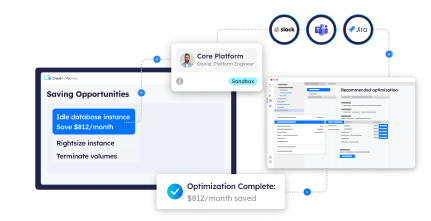
Ready to automate intelligently, not just aggressively? As AI coding assistants accelerate infrastructure creation, the bottleneck is governance. Cloud ex Machina (CxM) adds the layer your stack is missing: it flags cost and compliance issues in AI-generated infrastructure before deployment, and proposes fixes for waste in what's already running (as PRs or Jira tickets).
Ready to govern at the speed of generation?
Book a demo to see how CxM keeps your infrastructure cost-aware and compliant.