
Managing AWS costs effectively is crucial for more than just financial reasons; it also influences strategic decisions made by engineering and infrastructure teams. Two of the most powerful tools in AWS’s pricing model are Reserved Instances (RIs) and Savings Plans, both of which are designed to reward long-term usage commitments with substantial discounts. But while they serve a similar purpose, their structure, flexibility, and ideal use cases differ.
In this guide, we’ll break down AWS Savings Plans vs Reserved Instances and explore when to use each—or both—to get the most value from your AWS investment. Before committing to either, right-size and eliminate obvious waste — a discount on an oversized fleet still locks in the waste.
What Are AWS Reserved Instances and Savings Plans?

When it comes to long-term cloud cost savings on AWS, two primary options stand out: Reserved Instances (RIs) and Savings Plans. Both offer significant discounts—up to ~72% off On-Demand pricing—but differ in structure, flexibility, and ideal use cases.
AWS Reserved Instances (RIs)
Reserved Instances provide savings by committing to specific compute resources—such as instance family, region, and operating system—for a 1-year or 3-year term. In return, AWS offers deeply discounted hourly rates, ideal for workloads with predictable usage patterns.
There are two types of RIs:
- Standard RIs: Offer the highest discounts but lock you into fixed configurations—ideal for stable, long-running environments, such as production databases or backend services.
- Convertible RIs: Provide more flexibility, allowing changes to instance family, OS, or tenancy during the term, at the cost of slightly lower discounts.
RIs are commonly used with EC2, but also apply to other services such as Amazon RDS, ElastiCache, OpenSearch, and Redshift—helping reduce costs across a range of predictable AWS workloads. Payment options include All Upfront, Partial Upfront, or No Upfront, depending on your budgeting needs.
AWS Savings Plans
Savings Plans are a more flexible alternative to RIs, offering up to 72% in savings when you commit to a consistent $/hour spend for one or three years. Rather than locking into a specific instance configuration, you commit to a spend threshold, and AWS automatically applies discounted rates to eligible compute usage.
There are two types:
- Compute Savings Plans: The most flexible option—apply across any instance type, region, OS, and even services like AWS Fargate and Lambda.
- EC2 Instance Savings Plans: Offer slightly higher discounts than Compute Plans but require you to stay within a specific instance family and region.
By shifting from resource-based reservations to spend-based commitments, Savings Plans enable organizations to adapt their infrastructure without losing discount coverage, making them ideal for evolving or hybrid workloads.
AWS Savings Plans vs Reserved Instances: The Key Differences
Reserved Instances offer savings by committing to use a specific instance type at a fixed rate for a set term, while Savings Plans provide discounts based on committing to a consistent hourly spend over a set term.
|
Feature |
AWS Savings Plans |
AWS Reserved Instances (RIs) |
|
Commitment Type |
Commit to a consistent $/hour spend across eligible compute |
Commit to a specific instance type, family, region, and OS |
|
Flexibility |
High—applies across instance types, regions, OS, and services (EC2, Fargate, Lambda) |
Low to moderate—tied to specific configurations; limited flexibility unless using Convertible RIs |
|
Term Options |
1-year or 3-year |
1-year or 3-year |
|
Payment Options |
All Upfront, Partial Upfront, or No Upfront |
All Upfront, Partial Upfront, or No Upfront |
|
Discount Range |
Up to ~72% vs On-Demand |
Up to ~72% vs On-Demand |
|
Applies To |
EC2, AWS Fargate, AWS Lambda |
EC2, RDS, ElastiCache, Redshift, OpenSearch |
|
Management Overhead |
Minimal—AWS automatically applies discounts where usage matches commitment |
Higher—must manage specific reservations and utilization manually |
|
Best For |
Dynamic or evolving workloads needing flexibility |
Predictable, steady workloads with fixed configurations |
|
Example Use Case |
Multi-region or containerized workloads using mixed compute types |
Long-running production environments with stable demand |
AWS EC2 Savings Plan vs Reserved Instances
When comparing AWS EC2 Savings Plans vs Reserved Instances, the key difference lies in how each model handles flexibility and cost control for EC2 workloads.
- EC2 Savings Plans offer discounted rates specifically for EC2 usage, while providing flexibility across instance sizes, operating systems, and tenancy, as long as you remain within the same instance family and region. They offer slightly lower discounts than Standard RIs but with fewer constraints.
- Reserved Instances, on the other hand, require you to commit to exact instance specifications—including family, OS, and region—for the duration of the term. While this rigidity can be a limitation, it typically results in higher savings, especially for stable, unchanging workloads.
Pricing Example: How the Savings Stack Up
To illustrate how each pricing model compares, let’s use a familiar instance type as a reference point: EC2 m5.large in a 1-year commitment (us-east-1, as of July 2026). m5.large is prior-generation — current-gen equivalents are m8i/m8g — but it remains a widely recognized baseline.
|
Pricing Model |
Effective Rate |
Approx. Savings vs On-Demand |
|
On-Demand |
$0.096/hour |
N/A |
|
Reserved Instance (1-yr, No Upfront) |
~$0.060/hour |
~37% savings |
|
Compute Savings Plan (1-yr) |
~$0.062/hour |
~35% savings |
This comparison shows that Compute Savings Plans offer nearly the same savings as Reserved Instances, without locking you into specific instance types or regions—making them ideal for dynamic, multi-service environments like EC2, Fargate, and Lambda.
A key consideration, though, is cost attribution:
- RIs make it easier to assign savings to specific teams or workloads due to their fixed configurations, which is useful for chargebacks or KPI tracking.
- Savings Plans, especially at the org level, automatically distribute discounts, which can obscure who actually used the resources.
AWS’s RISP Group Sharing (GA Nov 2025) lets you scope commitment benefits to defined account groups, improving group-level attribution. For finer-grained visibility, Cloud ex Machina attributes usage and savings down to the per-owner and per-workload level across accounts—ensuring teams maintain both financial incentives and clear optimization metrics.
AWS Organizations Reserved Instances Sharing: How it Works
When using AWS Organizations, both RIs and Savings Plans can be shared across multiple linked accounts, allowing for centralized purchasing and broader discount coverage. However, the way sharing works differs between the two:
Under AWS Organizations with consolidated billing, both RI and Savings Plans discount sharing is on by default for every account — a commitment bought in any account is automatically applied to eligible usage across linked accounts, and the management account can turn sharing off per account. The real difference is how each discount lands: a Savings Plan applies to your committed $/hour of eligible spend across services (EC2, Fargate, Lambda), while an RI applies to matching instance usage in any sharing-enabled account.
It’s a good idea to enable consolidated billing to ensure discounts are fully utilized across business units or teams. This centralizes commitment management and reduces the risk of underused capacity.
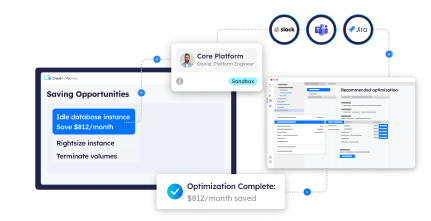
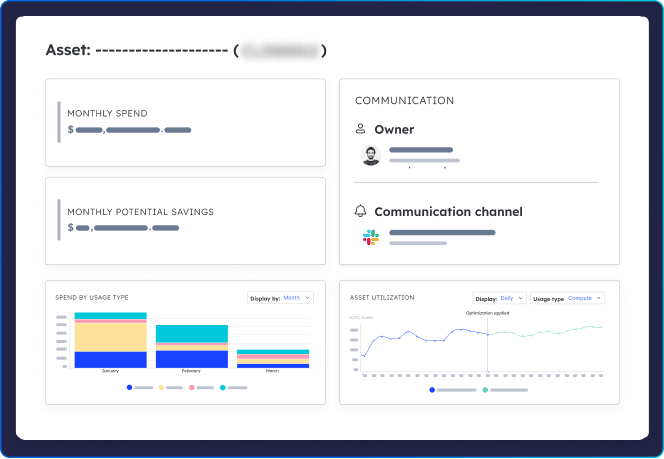
For organizations with complex cloud footprints, tools like Cloud ex Machina (CxM) simplify this process by automating commitment optimization across accounts. Instead of manually tracking usage or forecasting needs per account, CxM identifies underutilized commitments and recommends how to reallocate coverage, so every committed dollar is put to work without disrupting developer workflows.

How to Choose Between AWS Reserved Instances vs Savings Plans

The right choice between these two options depends on your workload patterns, operational flexibility, and the level of management overhead you're willing to accept. Here’s when each option makes the most sense:
Choose Reserved Instances if:
- You run predictable, steady-state workloads like production databases, backend APIs, or fixed app servers.
- You want to maximize savings and can commit to the same instance family, region, and OS for one to three years.
- You’re managing a stable infrastructure with minimal scaling or architecture changes.
Choose Savings Plans if:
- Your workloads are dynamic or evolving, with traffic that shifts between EC2, AWS Fargate, and Lambda.
- You value operational flexibility and want to avoid rigid instance locking.
- You prefer simplified management with organization-wide, automatic coverage and less need for ongoing oversight.
Consider a Hybrid Approach
Many teams find the best results with a blended strategy:
- Use Reserved Instances to lock in savings for stable core infrastructure.
- Layer in Savings Plans to flexibly cover bursty or transient compute usage, such as dev/test environments, container workloads, or serverless functions.
This combination strikes a balance between maximum efficiency and agility, ensuring that your cost commitments align with both long-term infrastructure needs and shifting application demands.
Conclusion
Both Reserved Instances and Savings Plans offer meaningful ways to reduce AWS spend, but the right fit depends on your infrastructure's stability, flexibility needs, and operational complexity. Reserved Instances are best suited for predictable, steady-state workloads, while Savings Plans provide broader flexibility for modern, evolving environments.
For many organizations, the ideal strategy blends the two—locking in deep savings with RIs for core infrastructure while using Savings Plans to cover variable or multi-service workloads. With the help of developer-first tools like CxM, this optimization becomes automated, trackable, and fully embedded in your engineering workflows.
Ready to make smarter commitment decisions? See how Cloud ex Machina helps you get ahead of cloud costs—book a demo today.