
Amazon EKS is a go-to choice for teams running Kubernetes in production, but its pricing model isn’t always straightforward, especially as your architecture grows more complex. From always-on control plane fees to layered costs across EC2, Fargate, EBS, and data transfer, what seems simple on the surface can quickly become a web of hard-to-trace expenses.
This guide breaks down everything you need to know about EKS pricing—including hidden costs, practical examples, and strategies for keeping your Kubernetes bill under control. Whether you’re running a handful of dev clusters or managing dozens across teams and regions, understanding how each pricing component works is key to building a cost-optimized, developer-friendly EKS setup.
What Is Amazon EKS? A Quick Refresher
Amazon Elastic Kubernetes Service (EKS) is AWS’s fully managed Kubernetes offering. It simplifies the deployment and scaling of containerized workloads, so teams can spend less time managing control planes and more time delivering software.
With EKS, you get a production-grade Kubernetes environment that’s battle-tested by AWS, backed by built-in integrations (IAM, VPC, CloudWatch), and tuned for performance at scale. But what makes EKS attractive to engineering teams is its abstraction of operational complexity, especially around cluster setup, maintenance, and security patching.
Managed Kubernetes on AWS
Running Kubernetes yourself isn’t for the faint of heart. You have to maintain etcd, manage updates, patch CVEs, and orchestrate worker nodes while simultaneously delivering features. EKS offloads that burden by managing the Kubernetes control plane for you, including:
- Automatic patching and upgrades
- Secure API server endpoint exposure
- Highly available and scalable control plane across Availability Zones
- Built-in observability integrations (e.g., CloudWatch, X-Ray, AWS Distro for OpenTelemetry)
This lets developers and platform teams focus on what runs inside the cluster—services, deployments, Helm charts—rather than the cluster's mechanics.
Separation of Concerns: EKS Control Plane vs. Worker Nodes
One of the defining characteristics of EKS is how it decouples the control plane from the worker nodes:
|
Component |
Managed By AWS |
Managed By You |
|
API Server |
✅ |
|
|
etcd (K8s store) |
✅ |
|
|
Cluster Scaling |
Control plane scaling |
Worker Node scaling |
|
Worker Nodes |
✅ (EC2, ASG, Bottlerocket, etc.) |
This separation gives teams flexibility. Want to tightly control your instance types for cost or performance tuning? Use self-managed EC2 worker groups. Prefer a hands-off autoscaling experience? Use managed node groups or EKS with AWS Fargate.
When Teams Typically Turn to EKS
Engineering teams tend to reach for EKS when:
- They outgrow self-hosted Kubernetes: Managing control planes in-house becomes untenable as team size and workloads scale.
- Security and compliance standards rise: EKS handles a lot of the heavy lifting around patching and multi-AZ HA.
- They want Kubernetes without Kubernetes fatigue: You get upstream compliance and AWS-native integrations without managing kubeadm, etcd, or HA masters yourself.
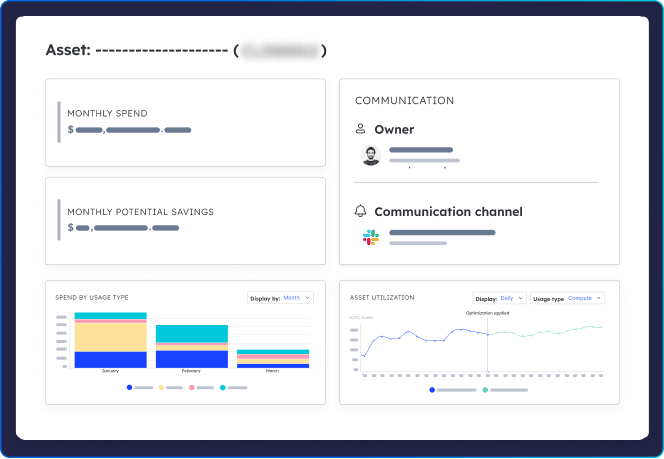
- Cost visibility and scaling become priorities: When teams start to ask “Which namespace or service is driving our EKS costs?”, they’re ready for tools like Cloud Ex Machina to attribute spend to owners and workloads.
While some choose AWS Fargate for simplicity (serverless pods, no node management), EKS provides more control over compute resources and cost levers—which matters when optimization is on the roadmap.
Amazon EKS Pricing Overview: Core Components

While Amazon EKS simplifies Kubernetes operations, understanding its pricing model is critical to avoid surprise costs—especially as your clusters multiply and architectures get more complex. EKS pricing is split across multiple layers, each with distinct billing mechanics. Let’s break it down.
EKS Control Plane Pricing
Each Amazon EKS cluster costs $0.10 per hour, regardless of usage. That’s roughly $72/month baseline fee per cluster, and the meter runs whether your cluster is serving production traffic or sitting idle in a dev sandbox.
This always-on cost model means environment sprawl (e.g., separate clusters for dev, staging, QA, and prod) can quietly accumulate. Many teams start with one shared cluster to avoid excess spend, then segment using namespaces or cost attribution tools (like CXM) to preserve visibility and control.
Cost control tip: Avoid spinning up separate clusters for every team or service unless isolation or compliance requires it. Namespaces, workload tagging, and cost tracking can often more efficiently achieve the same outcome.
Worker Nodes (EC2-Based)
The EKS control plane fee doesn’t include worker nodes—the EC2 instances where your workloads actually run. These are billed separately based on:
- Instance type (e.g., t3.medium, m5.large, t4g.medium)
- Pricing model (On-Demand, Reserved Instances, or Spot)
- Uptime and autoscaling configuration
Let’s look at a representative pricing snapshot (as of October 2025, showing typical hourly Linux rates):
|
Instance Type |
vCPUs |
RAM (GiB) |
On-Demand $/hr |
Spot $/hr (avg) |
Architecture |
|
t3.medium |
2 |
4 |
$0.0416 |
~$0.017 |
x86 (Intel) |
|
m5.large |
2 |
8 |
$0.0960 |
~$0.028 |
x86 (Intel) |
|
t4g.medium |
2 |
4 |
$0.0336 |
~$0.010 |
Graviton2 (ARM) |
Source: Representative rates based on the AWS EC2 On-Demand Pricing for the Linux OS in common regions (like US-East-1). Actual rates and Spot prices vary significantly by AWS Region.
Graviton2-based instances (ARM), like the t4g family, often provide up to 40% better price performance for compatible workloads compared to their x86 counterparts. Spot pricing can reduce costs even further—ideal for stateless or interrupt-tolerant services.
Caveat: Spot nodes can be terminated with little notice. Make sure to use Spot-aware controllers like Karpenter or Cluster Autoscaler with graceful eviction policies.
EKS on AWS Fargate
If you want to skip EC2 management entirely, AWS Fargate lets you run EKS pods serverlessly. You’re billed per pod based on the resources you request, not what you actually use:
- vCPU requested: ~$0.04048 per vCPU-hour
- Memory requested: ~$0.004445 per GB-hour
Over-provisioned requests turn directly into wasted spend, so right-sizing pod requests is critical.
No need to size or manage nodes—but this convenience comes at a higher unit cost. Fargate is great when:
- You need short-lived jobs or highly variable workloads
- You’re optimizing for speed over efficiency in early development
- You’re running multi-tenant clusters and want to isolate noisy neighbors without managing node pools
However, long-running workloads on Fargate can get expensive fast. At scale, EC2-based nodes (especially with Spot/RI strategies) offer better cost performance.
EBS, Data Transfer & Load Balancers
EKS pricing doesn’t stop at compute. Storage, networking, and traffic routing all add their own line items:
- EBS Volumes: Pods using Persistent Volumes (especially StatefulSets) rely on Amazon EBS. You’ll typically pay around $0.08–$0.10/GB/month, plus additional IOPS charges for certain volume types.
- Data Transfer:
- Traffic within the same AZ over private IP is generally free.
- Cross-AZ traffic within a Region typically incurs data transfer charges (around ~$0.01/GB in many regions)
- Inter-region traffic is pricier (often in the ~$0.02–$0.09/GB, range, depending on regions and direction)
- Load Balancers:
- Application Load Balancer (ALB) supports layer 7 traffic (e.g., HTTP routing)
- Network Load Balancer (NLB) handles layer 4 (TCP/UDP) with lower latency
Both are billed based on active connections + GB transferred, so understanding ingress patterns is essential for cost control.
Add-ons and Marketplace Integrations
Finally, EKS clusters often run a suite of add-ons and open-source tools that introduce their own cost overhead:
- Prometheus/Grafana: CPU/memory heavy if self-hosted
- CoreDNS, Kube Proxy, VPC CNI: Required for basic functionality, but still consume resources
- Karpenter: Automates cost-efficient autoscaling, but needs tuning to avoid overprovisioning
- Marketplace Add-ons: Some may have licensing or SaaS-style usage fees
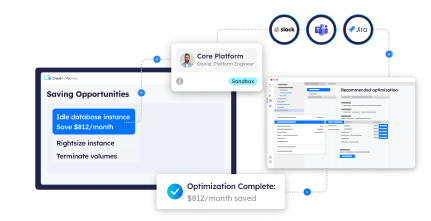
Monitor the resource footprint of system components, not just your apps. CXM makes this easier by attributing cluster-level costs—including add-ons—back to owners and environments.

Optional Charges: EKS Extended Support Pricing
As Kubernetes adoption matures, so does the need for lifecycle management—and in particular, support for older versions that are no longer in active upstream support. That’s where EKS Extended Support comes in.
What Is EKS Extended Support?
Amazon EKS typically offers standard support for the three most recent Kubernetes versions, with new versions landing roughly every 3–4 months. Each version stays in standard support for about 14 months, then moves into extended support for another 12 months. Once a version falls outside that window, it enters deprecation, and clusters running it must upgrade—or risk being unsupported.
EKS Extended Support allows you to continue running older Kubernetes versions beyond their standard support window—without immediate upgrades—while still receiving:
- Critical security patches
- Operational reliability
- AWS support coverage
This is especially useful for organizations with tightly coupled workloads, long QA cycles, or third-party dependencies that can’t be upgraded on short notice.
Pricing Model: $0.60/Hour per Cluster
EKS Extended Support is not included in the standard EKS control plane fee. When a cluster runs a Kubernetes version in extended support, the cluster fee increases to $0.60 per hour per cluster—about $438/month for a 24/7 cluster—instead of the usual $0.10/hour.
That’s a 6x jump in control plane cost just to keep an out-of-date Kubernetes version running.
Who Needs It?
EKS Extended Support is most valuable for:
- Enterprise workloads on legacy versions (e.g., 1.21, 1.22) that require longer stability windows
- Highly regulated industries where certification or validation processes delay upgrades
- Multi-team platforms where upgrade coordination is complex or high-risk
- Monolithic applications or custom K8s operators that break with version bumps
In these scenarios, the cost of downtime or regressions from a rushed upgrade may outweigh the monthly fee.
Important note: Extended Support is a temporary buffer, not a permanent strategy. AWS can still phase out support for very old versions, even on paid clusters.
Cost-Benefit Analysis for Enterprises
|
Factor |
Benefit |
Drawback |
|
Operational Stability |
Keeps legacy workloads running without disruption |
May delay needed upgrades |
|
Security Coverage |
Critical CVEs still patched by AWS |
Limited to essential fixes only |
|
Developer Velocity |
No need to re-test workloads on new K8s versions |
Risks falling behind upstream improvements |
|
Cost |
$438/month may be cheaper than breaking prod |
Adds up across multiple clusters |
If you’re running 5+ clusters on deprecated versions, Extended Support can cost $2,000–$3,000/month—just to avoid upgrading. At that point, engineering effort toward version alignment may yield better ROI.
Choosing the Right EKS Cluster Pricing Strategy

EKS costs aren’t one-size-fits-all. Your pricing strategy should reflect how your team builds, how often you deploy, and what kind of performance or compliance guarantees your workloads require.
Below are four common EKS usage patterns—and the corresponding pricing strategies that make financial and operational sense.
1. Low-Traffic Teams: Single Cluster + Small Nodes + Free Tier Awareness
For early-stage products, internal tools, or light workloads, the most efficient setup is:
- A single shared EKS cluster
- Small EC2 instances like t3.micro, t4g.small, or even Fargate for event-based jobs
- Careful use of the AWS Free Tier (up to 750 hours/month of eligible micro instances like t2.micro or t3.micro during the first 12 months of a new AWS account)
This keeps your EKS control plane costs at $0.10/hour and compute costs minimal. Using Graviton-based ARM instances can shave costs further—often in the 20–40% range for compatible workloads compared to similar x86 instances.
Tag workloads by team or project and use cost attribution tools like CXM to track spend per team, service—even within a shared cluster.
2. High-Throughput Applications: Reserved Instances + Monitoring-First Mindset
If your workloads are steady, high-volume, and business-critical—think production APIs, real-time analytics, or event-driven pipelines—your strategy should focus on long-term cost efficiency and resilience.
Recommended approach:
- Use Reserved Instances (RIs) or Savings Plans to lock in predictable compute usage at a discount (up to 72% off On-Demand rates)
- Deploy custom node groups with right-sized EC2 instances (c6i.large, r6g.xlarge, etc.)
- Invest in observability: monitor CPU/memory utilization, autoscaler behavior, and load balancer traffic to catch inefficiencies early
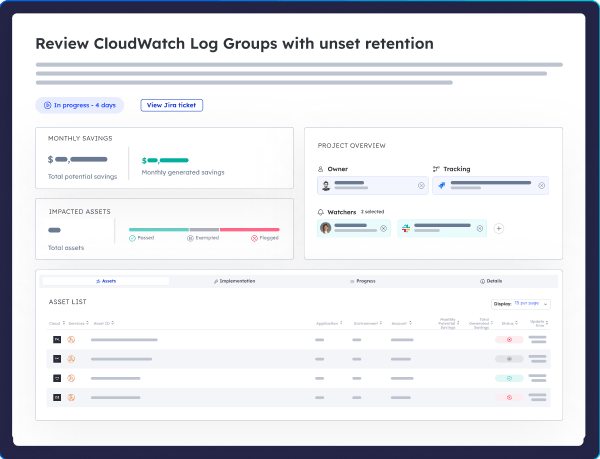
Pairing CXM with your EKS workloads allows you to surface cost per service or team, analyze trends, and proactively optimize resource usage without slowing velocity.
3. Dev/Test Environments: On-Demand Fargate or EC2 Spot Instances
For environments that are:
- Non-critical
- Short-lived
- Frequently torn down and recreated (e.g., feature branches, QA, CI runners)
…it makes sense to optimize for flexibility over raw savings.
- Use AWS Fargate for ultra-light provisioning with no idle node costs
- Or use EC2 Spot Instances with Karpenter or Cluster Autoscaler to handle volatility
- Keep environments ephemeral—spin them up via IaC (Terraform) and shut them down nightly or on weekends
Set TTLs for non-prod namespaces. CXM can auto-detect stale environments and clusters so you can shut them down before they generate another billing cycle.
4. Multi-Region or Multi-Team Deployments: Automate Cluster Lifecycle Management
When you scale horizontally across business units, regions, or compliance zones, EKS cluster sprawl becomes inevitable—and expensive. To stay in control:
- Automate cluster provisioning with IaC templates
- Use tools like ArgoCD, Crossplane, or Terraform to deploy multi-tenant platforms with guardrails
- Integrate cost tracking per environment, so team A doesn’t unknowingly overspend on shared infrastructure
A platform team might oversee 10–50+ clusters, and each one costs about $72/month in control plane fees alone—more if it’s on extended support–so lifecycle automation is essential to avoid orphaned, idle, or duplicated environments.
CXM helps here by attributing cost back to teams and lifecycle events–for example: “This idle EKS cluster was last touched 19 days ago by the staging team”–making it easy to decide which clusters to clean up.
TL;DR: Match Cost Strategy to Workload Type
|
Use Case |
Best Pricing Model |
Key Tools / Tactics |
|
Low-Traffic |
Shared cluster, Free Tier nodes |
t3.micro, resource tagging, CXM cost mapping |
|
High-Throughput |
Reserved Instances or Savings Plans |
m6i/c6g EC2, observability, right-sizing |
|
Dev/Test |
Fargate or Spot EC2 |
TTL policies, CI/CD automation, Karpenter |
|
Multi-Team/Region |
IaC-managed clusters |
Terraform, ArgoCD, CXM for ownership tracking |
Conclusion
EKS offers a powerful abstraction for running Kubernetes on AWS—but with power comes cost complexity. From control plane charges and EC2 node selection to Fargate pricing, EBS volumes, and cross-AZ data transfer, every decision impacts your bottom line.
With the right strategy—matching pricing models to workload types, using Graviton or Spot where it makes sense, and automating lifecycle and cost tracking—you can scale EKS confidently without overspending.
Platforms like CXM go a step further by embedding cost ownership directly into your engineering workflow. Instead of retroactive analysis, you get real-time insights, workload attribution, and actionable savings delivered where developers already work—CI/CD, Slack, GitHub, and more.
Start making Kubernetes cost-efficient by design. Request a demo of Cloud Ex Machina and turn your EKS spend into a lever for performance and control—not a monthly surprise.